Sticker & Emoji - Memes Maker
- 4.7
- Rating
- 5.00M
- Installs
- Free
- Price

 Analysis by App-foxy
I approached Sticker & Emoji - Memes Maker as a personalization app rather than simply another keyboard add-on. Its purpose is easy to understand: bring sticker and emoji choices closer to everyday conversations, with a focus on expressive, meme-style communication. After spending time with it, I found that its biggest appeal is not technical complexity but the way it can make ordinary messages feel more personal without requiring much creative skill.
The app is free to install, belongs to the Personalization category, and is made by Cool keyboard skin for Android. It has reached over 5 million installs and holds a 4.7 average from around 33 thousand ratings, which suggests that the basic idea connects with a large audience. I would still treat those figures as a starting point rather than a guarantee: sticker apps are highly subjective, and the right choice depends on how comfortable you are with visual browsing, keyboard customization, and optional purchases.
How the sticker experience feels in everyday use
I find the sticker experience most useful when I treat it as a quick way to add tone, not as a replacement for words. The visual choices can make a casual reply feel more personal, but their meaning still depends on the person receiving them. That distinction matters most when deciding where this kind of response fits naturally.
You May Also Like

 Blood Strike: 2.5 Anniversary
Blood Strike’s Loadouts Turn Every Drop Into a Tactical Gamble
A close look at Blood Strike’s custom loadouts: how fast access to signature weapons reshapes its battle royale rhythm, rewards preparation, and narrows the gap between fights.

 Pandora - Music & Podcasts
Pandora’s Music Is Easy to Start, but Harder to Recover
Pandora’s strength is its low-effort path from a seed to a station. Its weak spot is how much confidence it asks you to place in connection, setup, and quiet recovery.

 8 Ball Pool
 Is Built on Rivalries, Rematches, and Routine
A close look at the rivalries, rematches, shared routines, and unanswered safety questions that turn a quick pool match into a persistent mobile community.

 Samsung Music
’s Quiet Strength Is Playing What You Already Own
Its reach comes less from spectacle than from dependable access to a personal library. That simplicity is both the app’s strongest retention engine and its ceiling.

 AccuWeather: Weather Radar
AccuWeather Review: A Quick, Clear Forecast for Everyday Decisions
For everyday plans, the best forecast is the one you can understand quickly. AccuWeather makes rain timing, radar, and local conditions easy to act on, with a few trade-offs.

 Hill Climb Racing
Why Hill Climb Racing Still Turns Crashes Into One More Run
A tiny car, a bumpy hill and one more upgrade: Hill Climb Racing keeps resurfacing because its simple chaos makes every near-miss feel personal.
More From Our News Desk



Readability and navigation come first
The most important question for an app built around stickers and emoji is whether finding something feels quicker than searching elsewhere. In my experience, the concept works best when I already know the mood I want to express: playful, surprised, sarcastic, affectionate, or deliberately exaggerated. A sticker can communicate that tone faster than a sentence, especially in casual chats where a plain text reply might feel too serious.
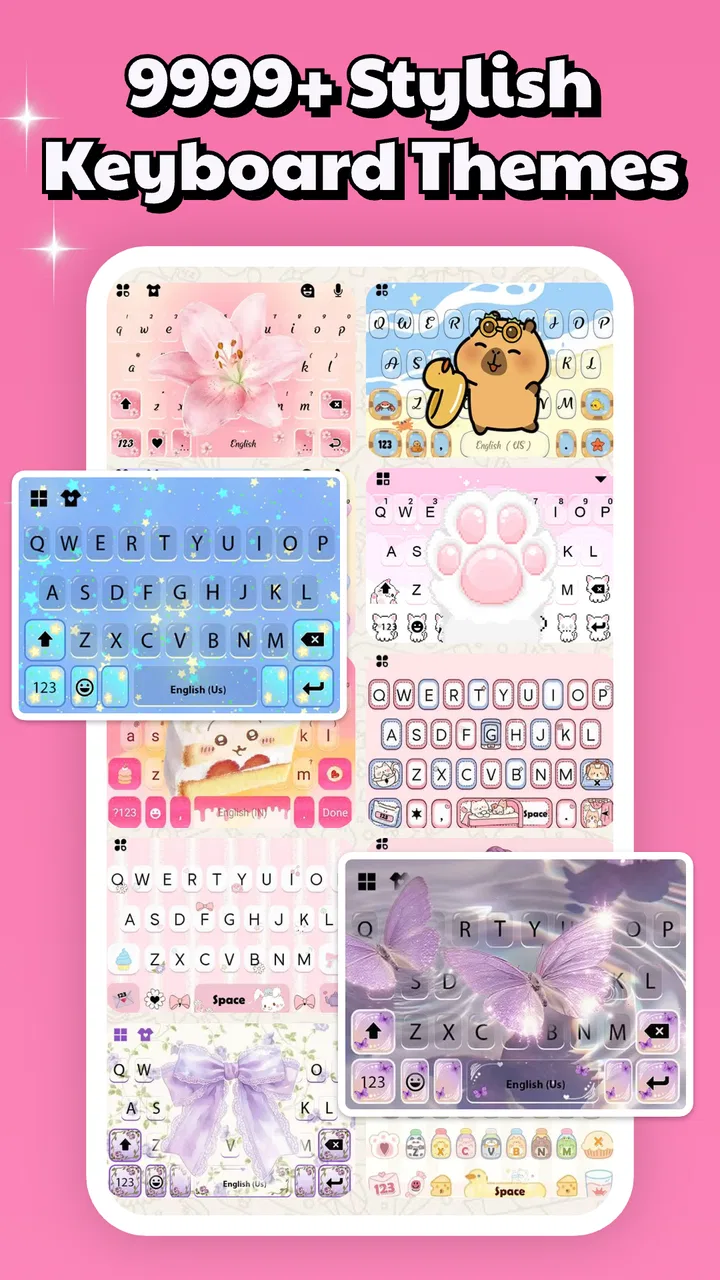
The store presents it as a place for sticker packs with many styles, while the short description identifies it simply as “Sticker & Emoji.” That simplicity is useful for new users because there is no confusing promise to decode. You install it expecting expressive visual content, not a full graphic-design suite or a messaging platform.
Navigation is naturally more visual than text-based. That can be enjoyable for people who recognize images quickly, but it may be less comfortable for anyone who prefers precise labels and predictable lists. When a collection contains many similar-looking options, scanning by appearance can take longer than typing a phrase into a conventional emoji search. I see this as the first meaningful trade-off: browsing encourages discovery, while search-oriented tools are often better when speed and exactness matter.
My practical advice is to treat the app as a collection of conversational shortcuts. Instead of opening it whenever you need any emoji, use it when a standard symbol feels too ordinary. A reaction image or a more expressive sticker is most valuable when the emotional nuance matters. That approach keeps the experience focused and avoids turning every message into a long hunt through visual choices.
Useful for different reading preferences, with limits
Visual communication can help people who find long written explanations tiring or who prefer to respond with an image rather than compose a sentence. Someone chatting across languages may also find a sticker easier to understand than slang. In a family group, for example, a cheerful reaction can acknowledge a message without forcing every participant to write a detailed reply.
At the same time, visual collections can be difficult for people with low vision, color-vision differences, or a strong need for large, high-contrast controls. I would not assume that every sticker is equally distinguishable or that every category is easy to identify without relying on small visual details. The app’s value therefore depends partly on how comfortably you can inspect images and move through a visually dense interface.
There is also a communication issue that is easy to overlook. A meme-style sticker can be funny to one person and confusing to another, particularly when cultural references or exaggerated facial expressions are involved. I found the app more useful when I chose stickers that reinforced a message rather than replacing all context. For important conversations, I would still add a few words instead of expecting the image to carry the entire meaning.
Motor and sensory considerations
Sticker selection is generally less demanding than drawing a custom image, which makes this type of app approachable for people who do not want to perform precise gestures. You can choose a finished visual instead of manipulating small design elements. That is a real advantage for anyone who wants expressive output without the fine motor work associated with editing or creating memes from scratch.
However, the interaction can still involve repeated tapping, scrolling, and switching between visual groups. Users with limited dexterity may find rapid browsing tiring, especially if the desired sticker is buried among many alternatives. I would recommend taking advantage of a small personal set of reliable favorites if the app makes those available in your setup, rather than repeatedly scanning the entire collection. Keeping a short list of familiar reactions is more practical than trying to remember where every option appears.
Sensory comfort is another consideration. Bright colors, animated-looking imagery, dense layouts, and highly exaggerated expressions may be entertaining for some users but overwhelming for others. If you are sensitive to visual clutter, the app may work better in short sessions, with a deliberate choice made before returning to the conversation. I would not use it as my only communication method in situations where calm, plain, and unambiguous presentation is important.
For people who rely on voice input, the app’s usefulness depends on how smoothly their normal keyboard and messaging workflow interacts with sticker selection. I would not choose it solely because I expect voice commands to locate every visual option. Its strength is manual visual choice, so users who need a completely hands-free experience should compare it with tools that are designed around spoken search and text prediction.
Situational access: where it fits best
A realistic use case is a busy group chat during a short break. I might receive a message about a minor mishap, open the sticker collection, and send a humorous reaction instead of writing a full response. That saves time and can soften the tone, provided the group understands the style of humor. In this situation, the app adds value because the visual reply is faster and more expressive than typing.
It can also suit people who regularly communicate with friends through informal messages, community chats, or social conversations where personality matters more than formality. A distinctive sticker can make a routine greeting feel less repetitive. For younger users and anyone who enjoys meme culture, the appeal is obvious: the message becomes a small performance rather than just a line of text.
I would be more cautious in professional chats, customer support, school communication, or sensitive personal discussions. A playful sticker can look dismissive when the recipient expects clarity. The Teen content rating is worth keeping in mind for families and younger users: adults should decide whether the app’s visual style matches the context in which it will be used, rather than assuming that every sticker is suitable for every conversation.
The app is also useful when text feels emotionally flat. If I want to congratulate someone, apologize lightly, or show that I am joking, an image can add a layer of tone. But visual tone is not universal. A sticker that seems warm to me may appear sarcastic to someone else, so I would use especially clear images when communicating with people who do not share my humor or cultural references.
How it compares with ordinary alternatives
The usual alternative is the emoji panel already included with a phone keyboard. That option is normally faster for basic symbols, familiar faces, and commonly used reactions. It also avoids adding another visual collection to the messaging routine. If your needs stop at a thumbs-up, a heart, or a standard smile, this app may offer more variety than you actually need.
Another alternative is a general-purpose meme editor. Editors are better when I want to add text, crop an image, or create a very specific joke. They offer more control but require more effort. Sticker & Emoji - Memes Maker is more convenient when I want a ready-made expression without opening a separate design workflow.
Dedicated sticker tools tied to a particular messaging service may also feel more integrated. They can offer smoother sharing inside that platform, while a broader personalization app may be more useful across everyday conversations. The choice comes down to whether you value variety and quick visual browsing or prefer a tightly integrated, minimal keyboard experience.
For me, this app occupies the middle ground between the basic emoji panel and a full creative editor. It is more expressive than standard symbols but less demanding than making a meme from an image. That position is its clearest reason to exist, although it also means it may not satisfy users who want either extreme: absolute simplicity or complete creative control.
Three practical habits that improve the experience
First, I would build a small mental map of the styles you actually use. Rather than browsing every collection whenever a conversation pauses, notice which visual groups match your usual tone. This reduces repetitive scrolling and makes the app feel like a personal response kit instead of an endless catalog.
Second, I would match visual intensity to the recipient. A large, dramatic meme reaction may work in a close-friends chat but feel inappropriate in a family conversation or a serious discussion. Choosing a quieter sticker when the relationship or topic is uncertain is a simple way to avoid misunderstandings.
Third, I would keep text alongside a sticker when the message affects plans, instructions, or emotional repair. A visual reaction can support meaning, but it should not carry essential information by itself. This is especially important for recipients who cannot easily inspect images or who interpret visual humor differently.
A fourth useful habit is to evaluate the app after a few days rather than judging it during the first burst of novelty. Sticker collections can be fun at first, but the real test is whether you return to them naturally. If you repeatedly fall back to the phone’s standard emoji panel, the extra variety may not justify the additional browsing in your routine.
Costs, version, and everyday friction
The app is free, which makes trying it relatively low-risk. Optional in-app purchases range from $3.99 to $17.99 per item, so I would approach the paid elements as an optional expansion rather than part of the basic reason to install it. Before buying anything, I would first check whether the free selection already covers the moods and situations I use most often. A larger collection is not automatically more useful if it makes finding a familiar reaction harder.
The current version is 1.0.151, and the app supports Android 7.0 and later. That broad compatibility is helpful for people who keep an older Android phone instead of upgrading frequently. It also means the app can be considered by households with a mixture of newer and older devices, as long as each phone meets the operating-system requirement.
The release date is Jul 23, 2025, so I would keep expectations realistic about how the product may evolve. An app with a relatively focused purpose can improve through better organization and more comfortable browsing, but users should not install it expecting the depth of a mature image-editing platform. Its current identity is centered on ready-to-use sticker and emoji expression.
One friction point is that adding a personalization layer can complicate a workflow that was already fast. If you switch keyboards or open a separate picker too often, the process may feel slower than simply typing. I recommend testing it during ordinary conversations, not only when browsing for fun. The right question is whether it helps you communicate more naturally, not whether it contains a large number of attractive images.
Who should use it, and who should skip it
I would recommend it to people who enjoy visual conversation, want more personality than standard emoji provide, and prefer choosing from ready-made designs instead of creating their own. It is particularly appealing to users who frequently chat in informal groups and want quick reactions that feel more distinctive than a familiar symbol.
It may also help people who find a short visual response easier than composing a sentence, provided they can comfortably browse the interface and the recipient understands the imagery. For multilingual conversations, stickers can sometimes bridge a language gap, although they should not be treated as universally clear translations.
I would skip it if you want a distraction-free keyboard, rely heavily on exact text search, or rarely use stickers. I would also look elsewhere if your main goal is designing original memes with your own photos and captions. A dedicated editor will be the better choice for that job because this app’s appeal is immediate selection, not extensive creation.
Users who need carefully controlled communication should be selective too. The Teen rating means the app is not something I would recommend blindly for every child, and meme humor can be unsuitable in formal or sensitive settings. Accessibility needs also deserve an honest trial: if small visual choices, repeated scrolling, or bright imagery create difficulty, a simpler keyboard with strong text search may be more comfortable.
An inclusive verdict based on real contexts
My overall impression is positive, but qualified. Sticker & Emoji - Memes Maker makes casual communication more expressive and gives Android users an approachable alternative to the standard emoji panel. Its best quality is the low creative barrier: I can add personality without designing anything from the ground up.
Its inclusive value is strongest when visual browsing is comfortable, the conversation is informal, and the recipient shares enough context to understand the joke or emotion. It is less suitable when users need large, highly predictable controls, hands-free operation, formal language, or precise text-based search. Those are not small exceptions; they define whether the app feels helpful or like extra work.
With a 4.7 average and more than 5 million installs, it is clearly popular enough to deserve a fair trial, but popularity should not replace personal testing. I would install the free version, try it in a few real conversations, and pay attention to whether it improves response speed and tone. The best reason to keep it is not the size of its collection, but whether its visual choices make your own communication easier and more comfortable.
For me, it succeeds as a lightweight personalization tool rather than an all-purpose messaging solution. If you want quick, playful expression and can navigate a visual collection without strain, it is worth exploring. If clarity, accessibility, or minimal interaction matters more than novelty, the standard keyboard or a more text-focused alternative may remain the better everyday companion.
FAQs for Sticker & Emoji - Memes Maker
01What features does the Sticker & Emoji - Memes Maker app offer?
The app provides a comprehensive suite of tools for creating custom stickers and emojis. Users can design their own memes using a variety of templates, text options, and a rich library of emojis. Additionally, you can edit images, use filters, and share your creations directly on social media platforms.
02Is the app free to use, or does it have any in-app purchases?
Sticker & Emoji - Memes Maker is free to download and use with basic features. However, it offers in-app purchases for premium features, such as an ad-free experience, exclusive sticker packs, and enhanced editing tools. These purchases can enhance your creative capabilities within the app.
03How user-friendly is the Sticker & Emoji - Memes Maker app?
The app is designed with user ease in mind, featuring an intuitive interface that guides users through the sticker and meme creation process. Even beginners can quickly learn to navigate and utilize the app’s features, thanks to clear instructions and helpful tutorials available within the app.
04Is Sticker & Emoji - Memes Maker compatible with both Android and iOS devices?
Yes, the app is available on both Android and iOS platforms, ensuring compatibility across a wide range of devices. It is optimized for different screen sizes, providing a seamless experience whether you're using a smartphone or a tablet.
05Can I share my creations from the app directly to social media?
Absolutely! The app allows you to share your custom stickers, emojis, and memes directly to popular social media platforms like Instagram, Facebook, and WhatsApp. This feature makes it easy to showcase your creativity and engage with your friends and followers.
Pros
- Wide variety of emojis and stickers.
- User-friendly interface for easy navigation.
- Custom meme creation is intuitive.
- Regular updates with new content.
- Compatible with most messaging apps.
Cons
- Ads can be intrusive and frequent.
- Some premium content requires payment.
- Occasional lag on older devices.
- Limited options for advanced editing.
- Large file size may use significant storage.

Sticker & Emoji - Memes Maker
Gallery